When setting up your sales process to efficiently manage your sales team, you need to define your team members' roles and implement the right privacy settings to protect your data and work.
noCRM comes with a lot of privacy settings, especially if you’re using the Dream edition, which includes a lot of specific options. To set your privacy settings, follow these steps:
Click your avatar at the top right.
Go to Admin panel > Account management > Privacy and security > Roles and privacy settings.
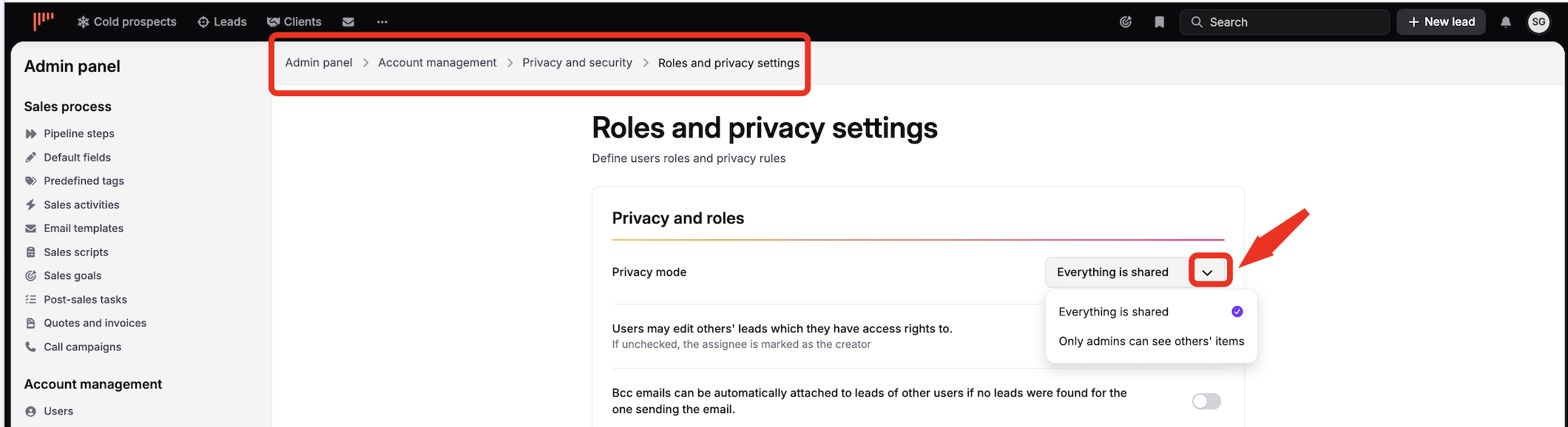
When you change your privacy settings, what is shared or not shared between users updates immediately. So you can start with a setting and change it later if you want higher privacy when growing your company.

In the Expert edition you can choose between two privacy modes:
Everything is shared
Only admin can see others' items
When everything is shared, every user can access all the leads, spreadsheets, and tweet-like messages of all users.

Even if you did not grant users the right to access other users' items, you can, when you create a prospecting list, decide to share it with all users.
You can also decide if users or only admins can (re)assign leads.
The Dream edition allows you a finer level of access control thanks to the Team feature. The privacy settings of the Expert edition still exist, but if you have created teams you can also set rules at a team level.
To set rules at a team level you must first set the global privacy setting to Only admins can see others' items. Then you can decide if inside teams you want to allow users or team managers to access other users' items like leads and spreadsheets.
When a user creates a lead, if the user belongs to 1 team then the lead will also belong to that team. If the user belongs to 2 teams they will have to choose which team they create it in.
As for the Expert edition, when creating a prospecting list, it is possible to share it at a company level. The team feature also allows a user to share the prospecting list at a team level even if the privacy settings are strict.
The Dream edition allows an admin to assign unassigned leads to a team. In fact, it leaves leads unassigned but it displays them to the team manager or the team members (depending on your settings) so they can then assign them inside the team.
Post-sales tasks work exactly the same way as leads and their privacy rule is based on the same preference.
That being said, in a strict privacy mode, if Sarah wins a lead and creates a post-sales task that she assigns to Bob, both Sarah and Bob will have access to the lead and to the follow-up.

