As a salesperson, setting your to-do list as your home page lets you know right away what you have to do when you log in in the morning. It's a real asset for an efficient sales process.
How do you set your to-do list as your home page?
Follow these steps:
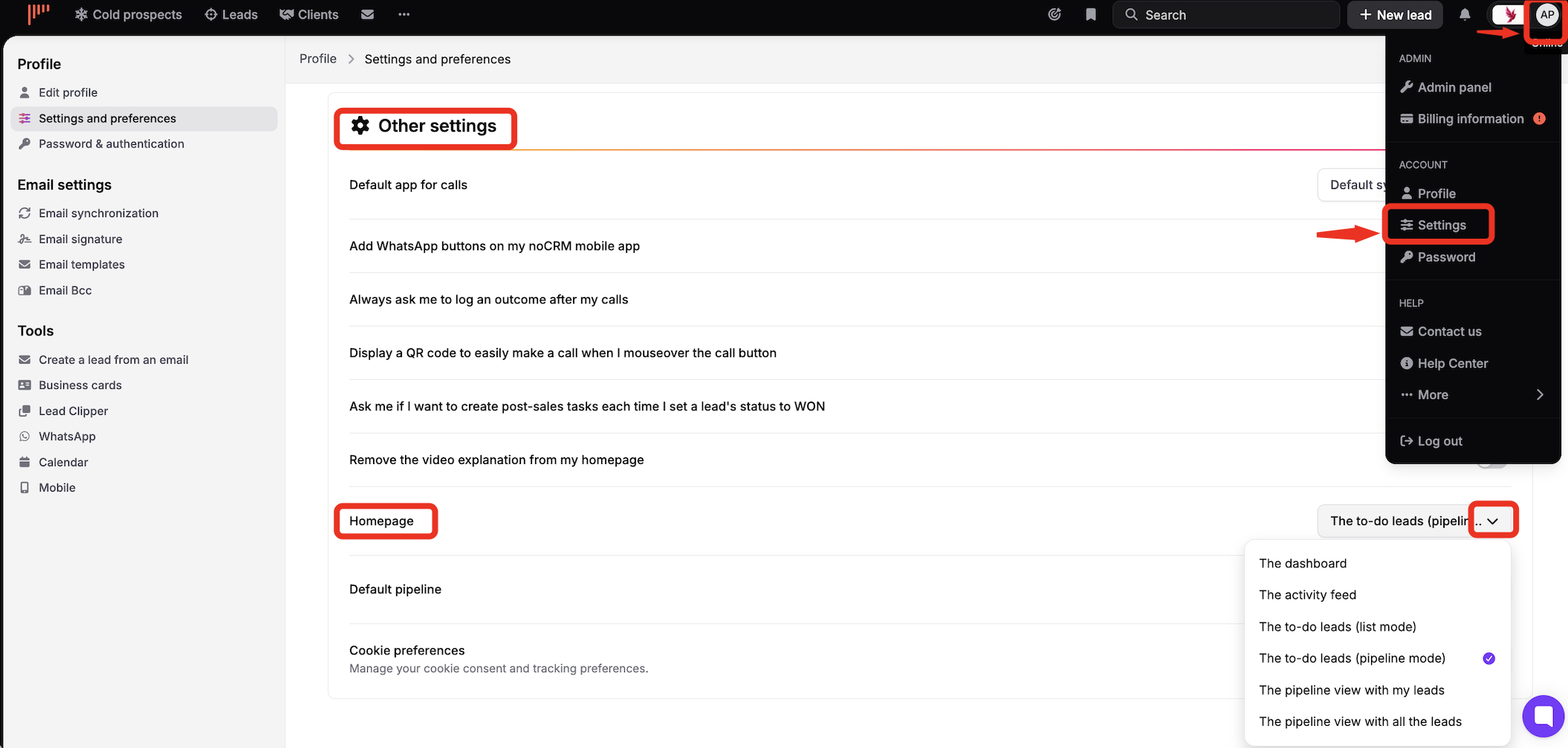
Click your avatar at the top right.
Open your profile.
Go to Settings and preferences > Other settings.
In the Homepage drop-down list, choose The to-do leads (list mode).