
Help Center

Go to Positive noCRM

Set the pipeline view as your home page

Defining the Pipeline View as your Home Page is a great option. Learn why and how to do it in this article.

Defining the Pipeline View as your Home Page is a great option. In fact, if you want to have a complete overview of your sales process right away and be able to focus on the leads that are at the end of the process, this is the best way.

You log in to your account and are taken straight to where it makes sense to you.

How to set it up?

To set this page as your Home Page, follow these steps:

  1. Go to your user Settings and preferences.

  2. Choose the Pipeline View from the homepage dropdown menu options.
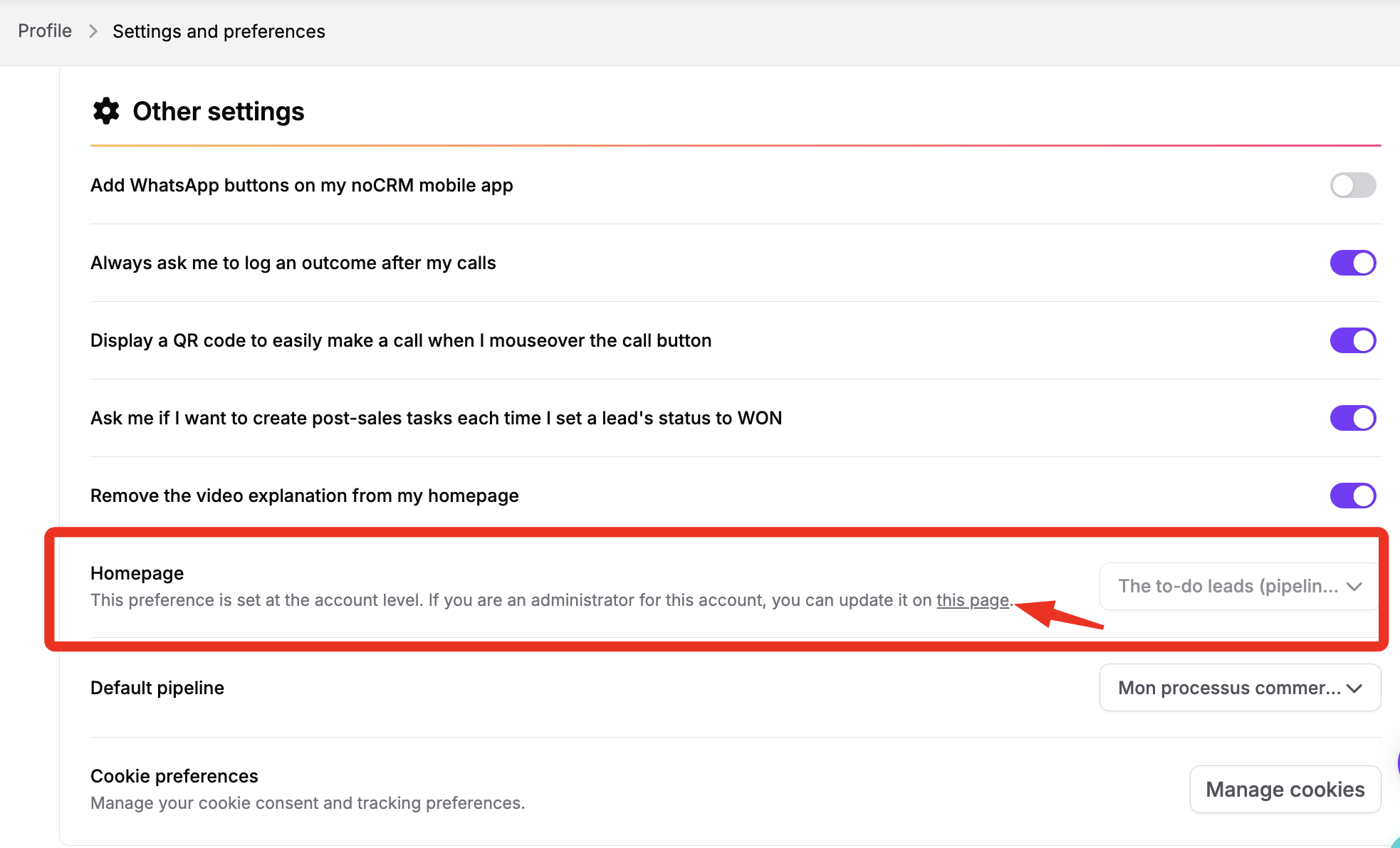
The Settings and preferences page shows Other settings; a red box and arrow highlight the Homepage preference and its account-level settings link. Visible: Profile, Settings and preferences, Other settings, Add WhatsApp buttons on my noCRM mobile app, Always ask me to log an outcome after my calls,

Did this answer your question?
😞
😐
😁