Your email signature is automatically added to all the emails you send from noCRM, including those using email templates.

Each user sets up their own signature. Follow these steps:
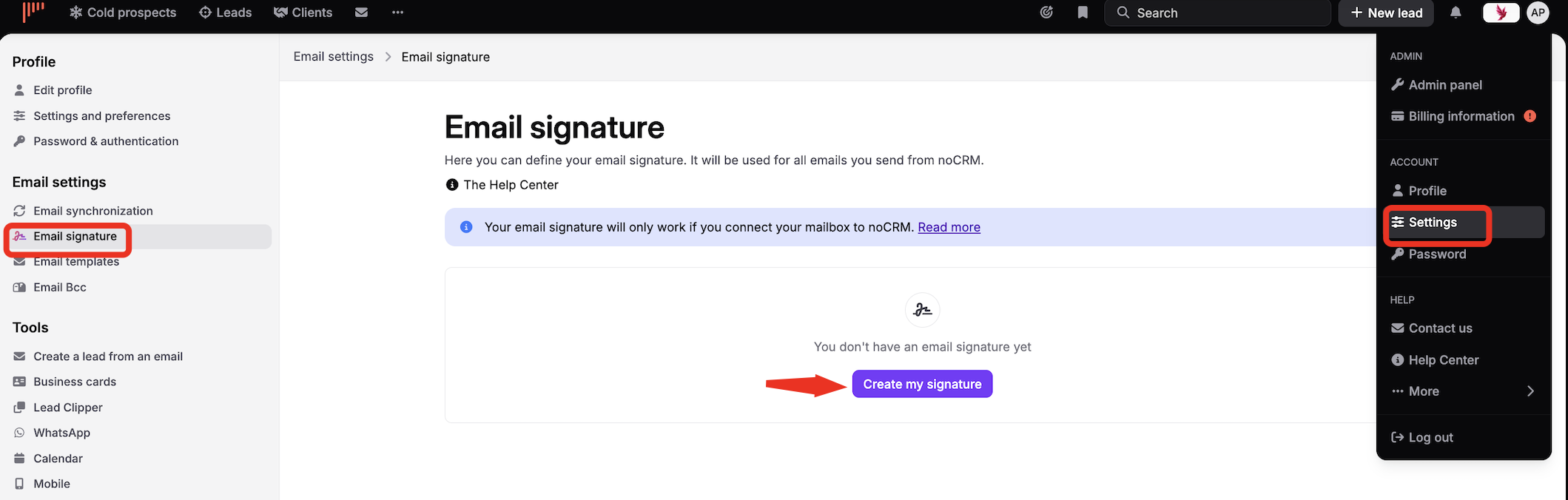
Click your avatar at the top right.
Open your profile.
Go to Email settings > Email signature.
Click Create my signature and write your signature.
Your signature can contain:
Text only.
Images only.
Text and images.
HTML code, to design a signature with images, GIFs and more, placed exactly where you want them.

With the Signitic integration, admins can define signatures for the whole team, with campaigns and more advanced features.


