A lot of time and resources are spent on generating leads, but what happens once they come into your pipeline? Many businesses lose leads because no one stays on top of them and contact is made with significant delays.
This workflow automatically assigns incoming leads to your sales reps, so that no lead stays forgotten among the unassigned leads and your team can start managing them right away. You can set it up with the built-in Automations or with Zapier.

Follow these steps:
Click your avatar at the top right.
Go to Admin panel > Integrations > API & automations > Automations.
Click New Automation.
In Name your automation, enter a name (for example "Assign new leads randomly").
In Start with the event, choose lead.creation.
In Actions in noCRM, choose assign a lead, then Randomly among, and select the users who should receive the leads.
Click Save and activate.

With Zapier, each new unassigned lead is assigned to a random user of your account, except administrators.
Sign into your Zapier account and click Create Zap at the top left of the page.
Select the noCRM app and choose the trigger event New Unassigned Lead.

Enter your account name (https://AccountName.nocrm.io).
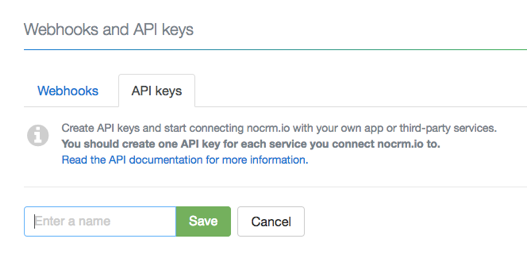
Enter your API key. To create one in noCRM, click your avatar at the top right, go to Admin panel > Integrations > API & automations > API Keys, click Create an API Key and name it.
Select the noCRM app and choose the action event Call Simplified API.
Choose the noCRM account you already connected.
In the Custom tab, select the ID of the lead generated by the trigger.
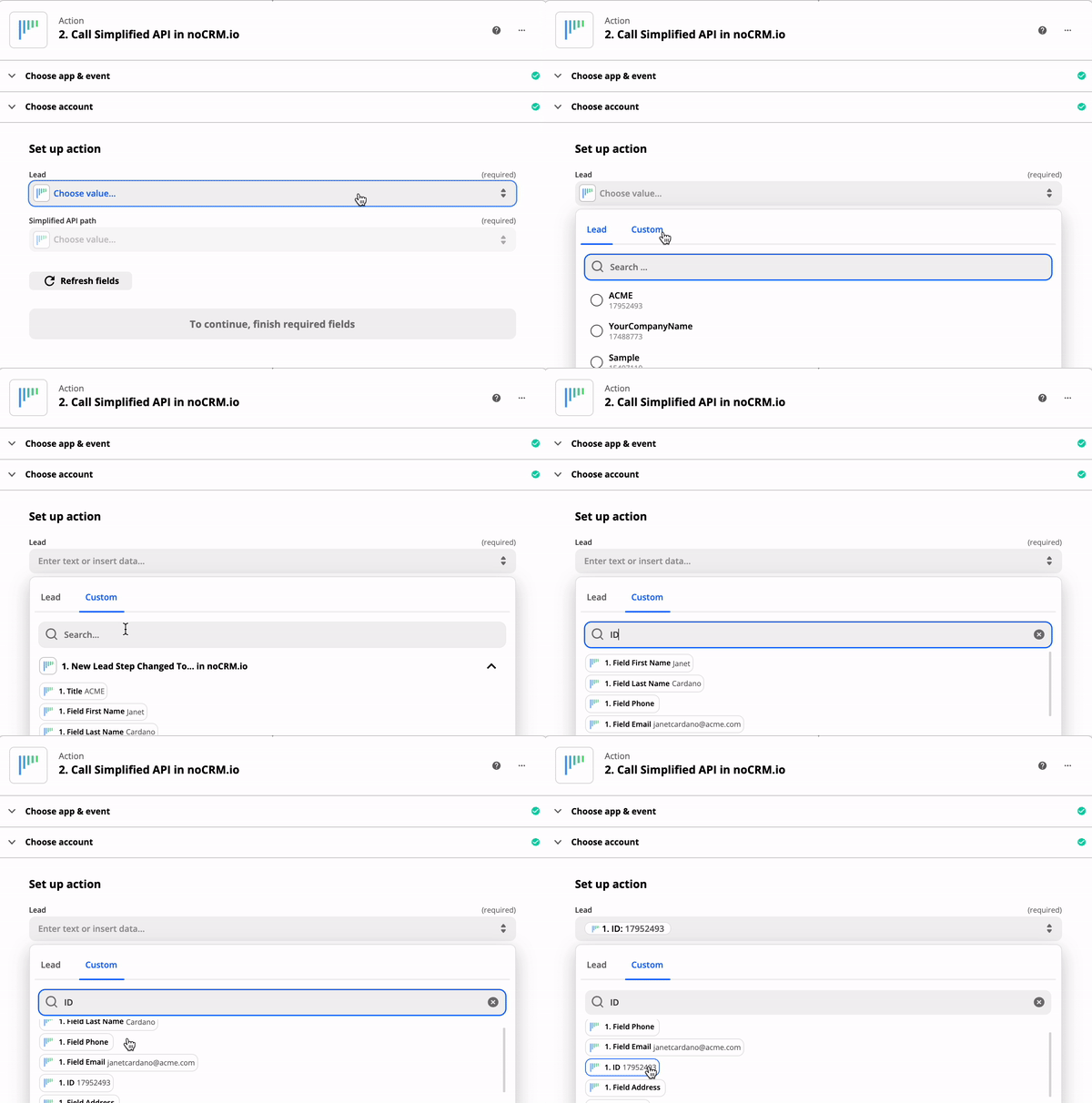
Choose Assign lead randomly to any user in the account except administrators as the Simplified API path.

Now every time you have a new unassigned lead, Zapier randomly assigns it to any user in your account except administrators and/or team managers.


