The Butler is a free virtual user that enhances your automations. Once activated, The Butler becomes the author of all non-human actions taken on leads, so you can easily tell the tasks completed by your sales team from those handled by automations or third-party integrations.



As a result, your stats only reflect real user activity, while automations and API actions are tracked separately. This article explains how to activate and customize The Butler.

With The Butler, administrators and managers can:
Improve data accuracy: as The Butler is the author of all non-human actions, stats reflect actual user productivity without interference from automated tasks.
Enhance workflow transparency: differentiate the actions performed by team members from those generated by integrations, the API or other automations.
Get better admin insights: easily tell user actions from automation-driven updates, with clear and actionable data.
Follow these steps:
Click your avatar at the top right.
Go to Admin panel > Integrations > API & automations > The butler.
Turn on The Butler will be the author of actions performed through the API when the user isn't specified to activate The Butler.
Once activated, The Butler is recognized as a real user in your database and becomes the author of all non-human actions taken on leads through the API or Zapier.
In Picture and Butler's name, choose a picture and a name for The Butler.
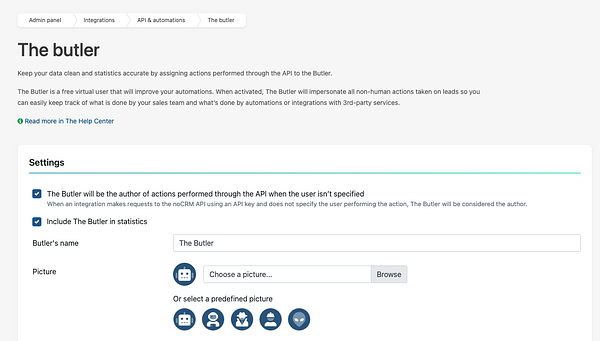

On the same page, you can also choose whether to Include The Butler in statistics.

The Butler enhances automation by managing non-human actions in noCRM, helping you keep accurate stats and streamline workflows. Here are some ways The Butler can support your team.
Automating lead creation: set The Butler as the creator of leads generated from external systems through the API or integrations, so that your activity logs stay clear.
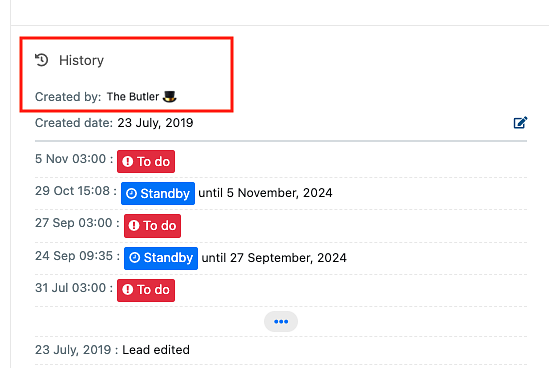
Logging activities: use The Butler to track actions such as status updates or activity logs initiated by integrations, so that it's clear which actions are automated.
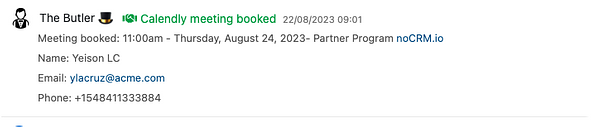
These automations let The Butler handle repetitive tasks, freeing up your team's time and keeping your data organized.
To unlock even more powerful automation, explore the advanced applications in the no-code Academy, including:
Round-robin lead assignment: ensure a balanced distribution of leads across your team.
Real-time lead updates: keep leads updated automatically from external systems with the API or Zapier.
Head over to the no-code Academy for step-by-step tutorials and discover how The Butler can transform your workflows.
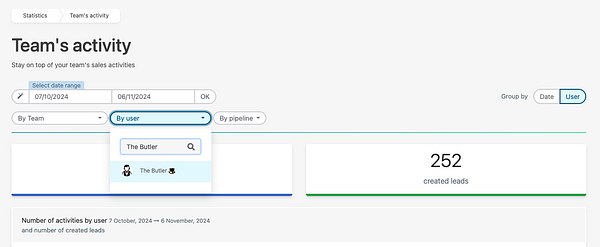
The Butler keeps your stats accurate: only user actions count toward performance metrics, while all automated actions are attributed to The Butler.
No, The Butler is a permanent user in your system's database and cannot be deleted or impersonated.
Nothing. The Butler is a free virtual user, without any additional cost.

