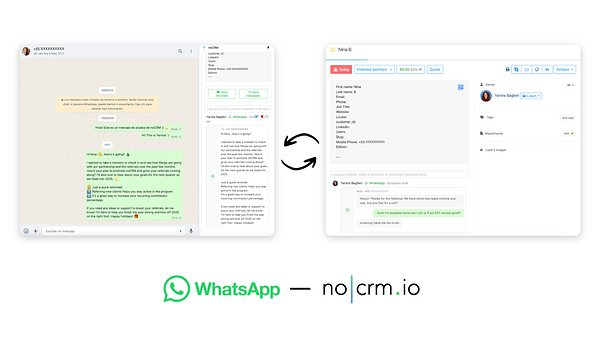
The noCRM WhatsApp Chrome Extension connects WhatsApp and noCRM: you can manage leads, log your interactions and send pre-set message templates, all without leaving WhatsApp Web.
If you already use WhatsApp but don't have a noCRM account yet, start your free trial today.
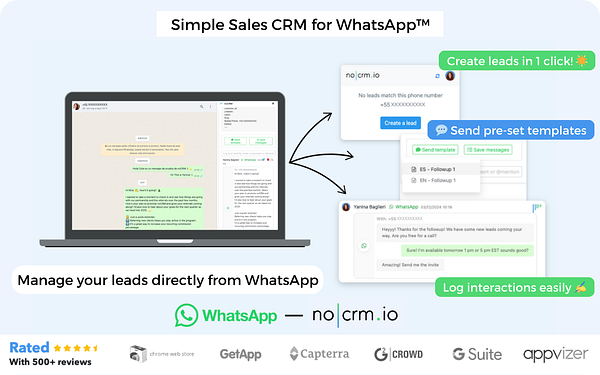

One-click lead management: create or open leads directly from WhatsApp Web, to save time and follow up quickly.
Interaction logging: keep your communication history up to date by logging WhatsApp messages in the corresponding noCRM lead.
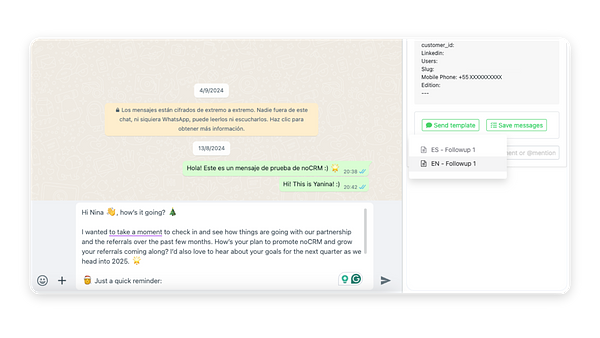
Pre-set message templates: send professional message templates directly from WhatsApp for consistent communication with your leads. They are synced automatically.
The extension bridges the gap between noCRM and WhatsApp: it streamlines your sales process and makes sure all lead interactions are properly synced.

Follow these steps:
Go to the Chrome Web Store and search for "noCRM WhatsApp Extension".
Click Add to Chrome and follow the prompts to install it.

Log in to your noCRM account and open WhatsApp Web in your browser.
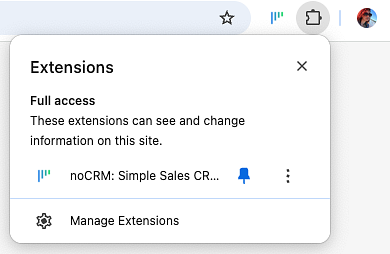
Pin the extension: click the puzzle piece icon in the Chrome toolbar, then click the pin icon next to the noCRM WhatsApp Extension.
The extension works with regular WhatsApp and WhatsApp Business, only in WhatsApp Web in your browser.
Follow these steps:
Open WhatsApp Web in your browser.
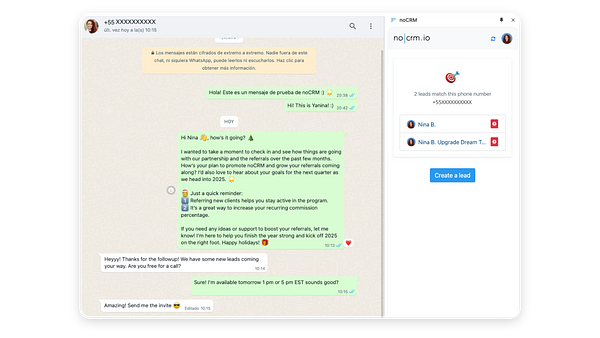
In a conversation with a contact, click the noCRM icon to open the extension. From there, you can create a new lead or see the existing lead linked to this contact.
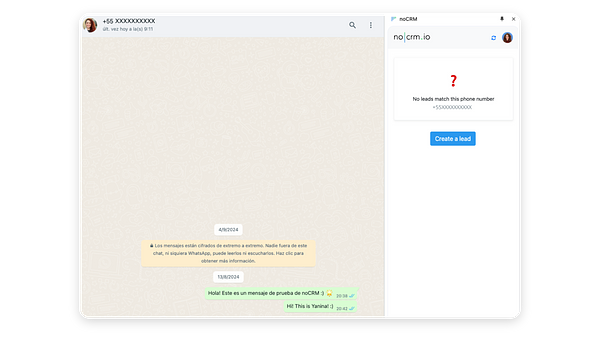
To create a new lead, click the button in the extension: the lead creation page opens in a new tab in noCRM.
Complete the lead in noCRM, go back to WhatsApp Web and sync the extension. The new lead appears in the extension.
If the lead already exists in noCRM, it appears in the extension sidebar. If several leads are linked to the contact, select the one to associate with the conversation.

With the extension active, you can manually log WhatsApp messages in the corresponding noCRM lead. Follow these steps:
Click Save Messages in the extension.
Select the messages you want to sync and click Save.
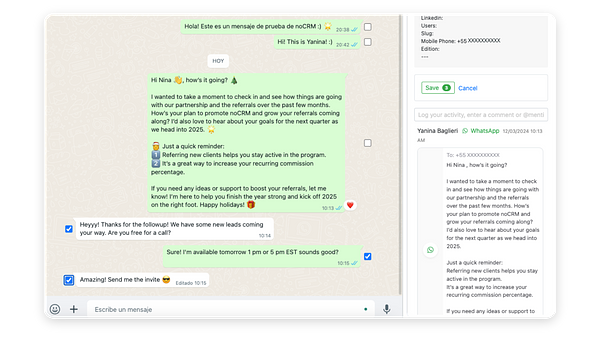
The selected messages are synced to the noCRM lead and appear in the extension sidebar.
Templates are created by an administrator for all users. Follow these steps:
Click your avatar at the top right.
Go to Admin panel > Integrations > WhatsApp.
Click Create a template.
Write your template as completely as possible. Use variables to customize your messages dynamically, for example with the customer's first name, the sales rep's name or a link to a calendar.
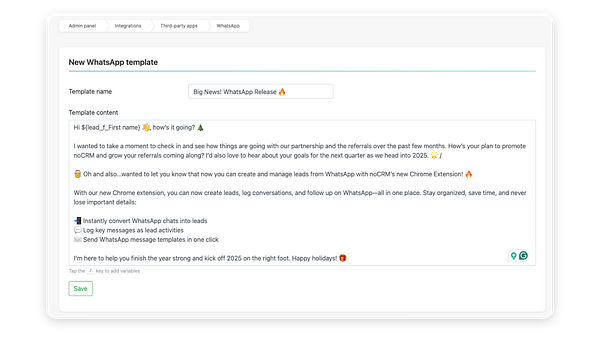
Follow these steps:
Open WhatsApp Web and select a conversation linked to a lead in noCRM.
Choose a pre-set message template in the extension.
Click Send to share the template with your contact.
Templates are automatically logged in the lead's conversation history in noCRM after they are sent.
How can I rate the extension on the Chrome Web Store?
You can rate and review the noCRM WhatsApp Chrome Extension directly on the Chrome Web Store. Your feedback helps us improve and reach more users.
The lead exists in noCRM but doesn't show up when I click the conversation. Why?
Make sure the phone number is saved in the custom field for the phone in the lead description, in international format without spaces or slashes, like this: +5491135254444.
Can I use formatting in WhatsApp templates?
Yes. You can use * for bold and _ for italic. We're updating the interface soon.
Why aren't my WhatsApp messages syncing?
The extension does not sync WhatsApp messages if it is not active.
Can I sync group messages?
No, the extension does not support syncing messages from group conversations.
Can I edit a lead from WhatsApp?
Not for now. However, you can view the lead's description, status and comment history. You can also delete comments, activities or emails synced in the lead's comment section and open the lead in a new tab.
Do you support other browsers?
No. The extension is currently only available for Google Chrome.
Does the extension work with WhatsApp Business?
Yes, the extension supports both regular and Business WhatsApp accounts.
Can I sync images or audio?
Not at the moment. Only text messages can be synced for now, but this might be supported in the future.
I have some feedback. What should I do?
Please submit your feedback about the extension through this form. We'd love to hear from you.
With the noCRM WhatsApp Chrome Extension, you're ready to streamline your sales communication and keep your lead management organized, directly from WhatsApp Web.
Disclaimer: WhatsApp™ is a trademark of WhatsApp Inc.
This Chrome Extension is not endorsed, certified or affiliated with WhatsApp Inc., Meta, Facebook or Instagram. noCRM is an independent lead management software and is in no way related to or associated with Meta or its products.

