

This article covers user settings and preferences. For user management (create licenses, replace users, etc.), read this article.
Whether you opened the account or were invited to join an existing noCRM account, you have your own profile settings.
Access your profile settings
Follow these steps:
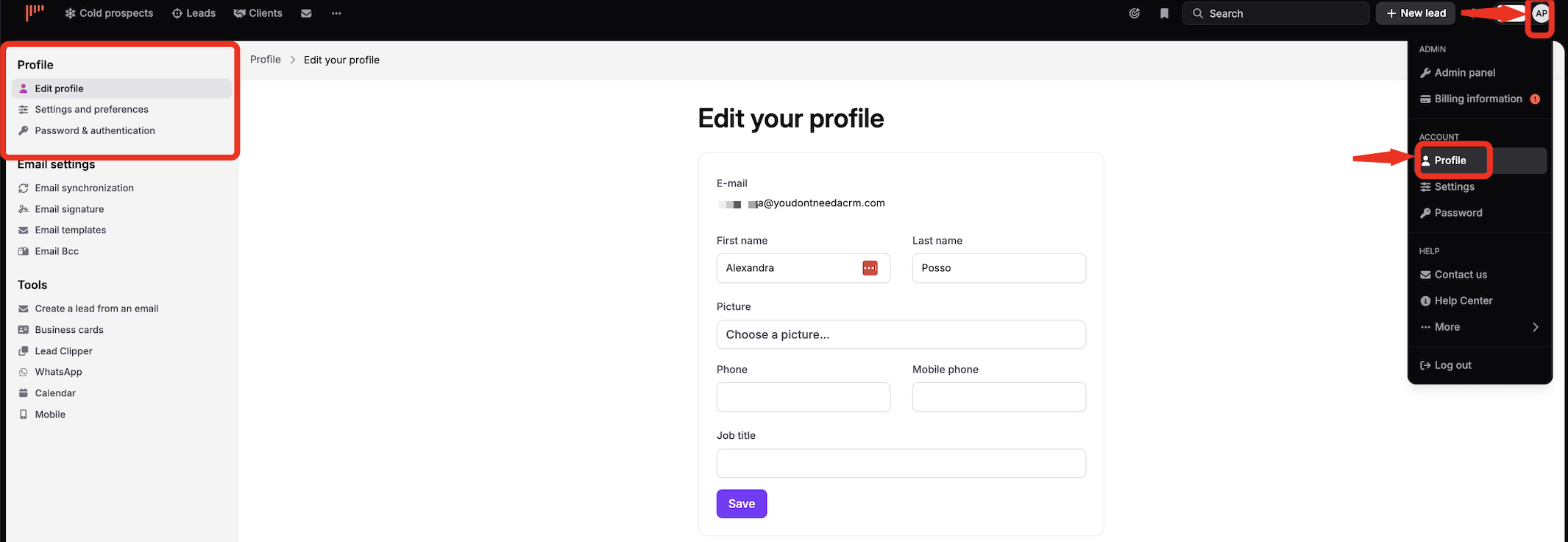
Click your avatar at the top right.
Open your profile.
What can you change?
Edit profile: your email address, first name, last name, picture, phone, mobile phone and job title.
Settings and preferences: notifications, time and language settings, and many other preferences.
Password & authentication: change your password.

Note: To delete your profile picture, contact our team.