JustCall is a cloud-based phone and text solution for businesses to make & receive phone calls and send SMS from a computer, web browser, or desktop.
✅ Make calls to your leads and prospects in noCRM with JustCall's softphone.
✅ Automatically log call details including a link to the call recording, number dialed, and the duration.
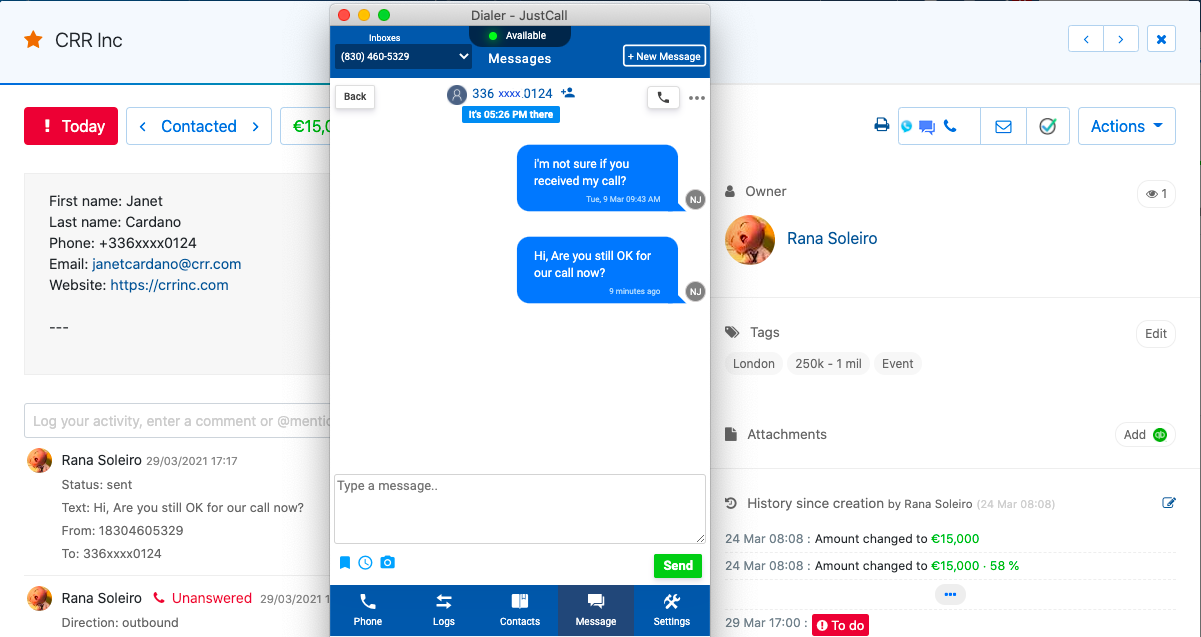
✅ Send text messages to your leads in noCRM with Justcall's softphone and have the messages automatically logged in the lead's comments section.
✅ Receive incoming calls and easily manage lead creation of unknown callers.
✅ Get AI call summaries, sentiment, action items, and scores to spot coaching opportunities fast.
✅ Scale dialing campaigns with Power, Dynamic, Predictive dialers - sync call logs automatically in noCRM
Connecting JustCall with noCRM.io opens more streamlined communication channels with your sales leads within noCRM.io. It will allow you to set up automations to improve your calling processes.
If you don't have a JustCall account yet, sign up for a free trial here. If you use JustCall already but don't have a noCRM.io account, start your free trial today.
⚠️ This integration is only available for the Dream edition.
It's possible that Justcall only accepts creating an account if you have a company e-mail address, not a 'basic' @gmail.com account.
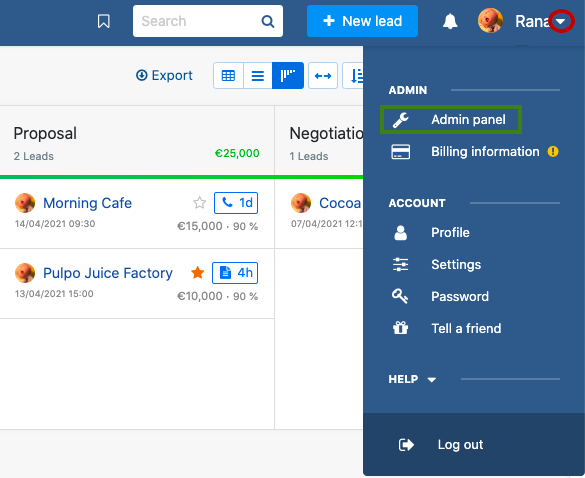
1. Retrieve your API Key: Sign in to your noCRM.io account, go to your Admin Panel > Integrations > Built-in Tools > Webhooks and API > API Keys tab >create a new key, and copy it.
Log in to your JustCall account.
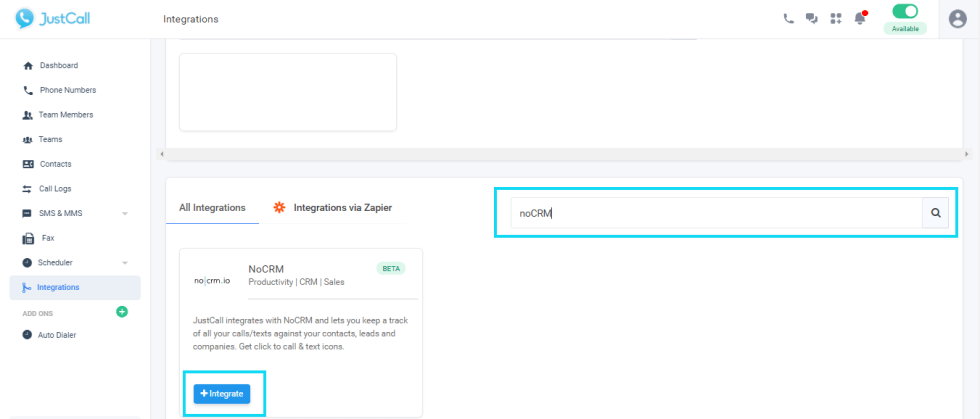
Head over to the Integrations section and look for noCRM.io. Click the “+Integrate” button next to noCRM.io listing.
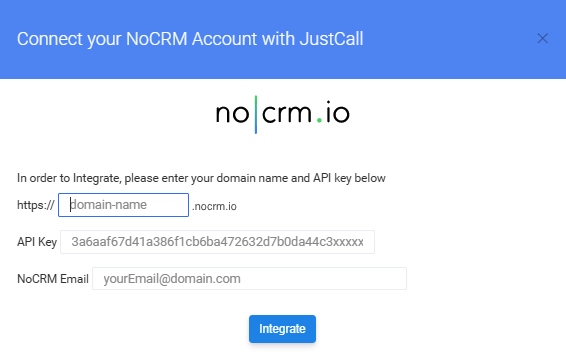
A pop-up will appear, where you have to enter your noCRM.io domain name, API key, and Email.
Install JustCall's Chrome Extension to have a click-to-call and text icon next directly on the lead card. This will help you make calls and send text messages easily.
⚠️ Attention: Numbers should be in e.164 format which means they shouldn't contain any special characters. E.g.: +18304200005.
Make sure the phone number is plugged in the right default field of the lead you wish to call or text message.
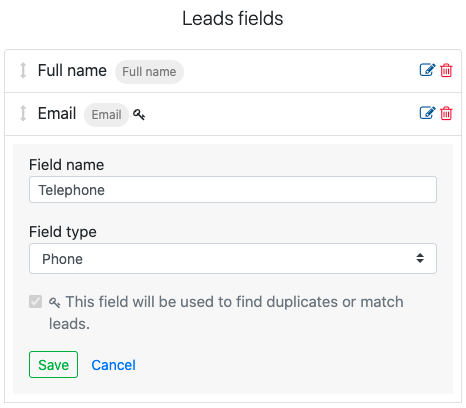
When you create a Phone or Mobile default field, select "Phone" or "Mobile" as the Field type in the Admin Panel > Default fields.
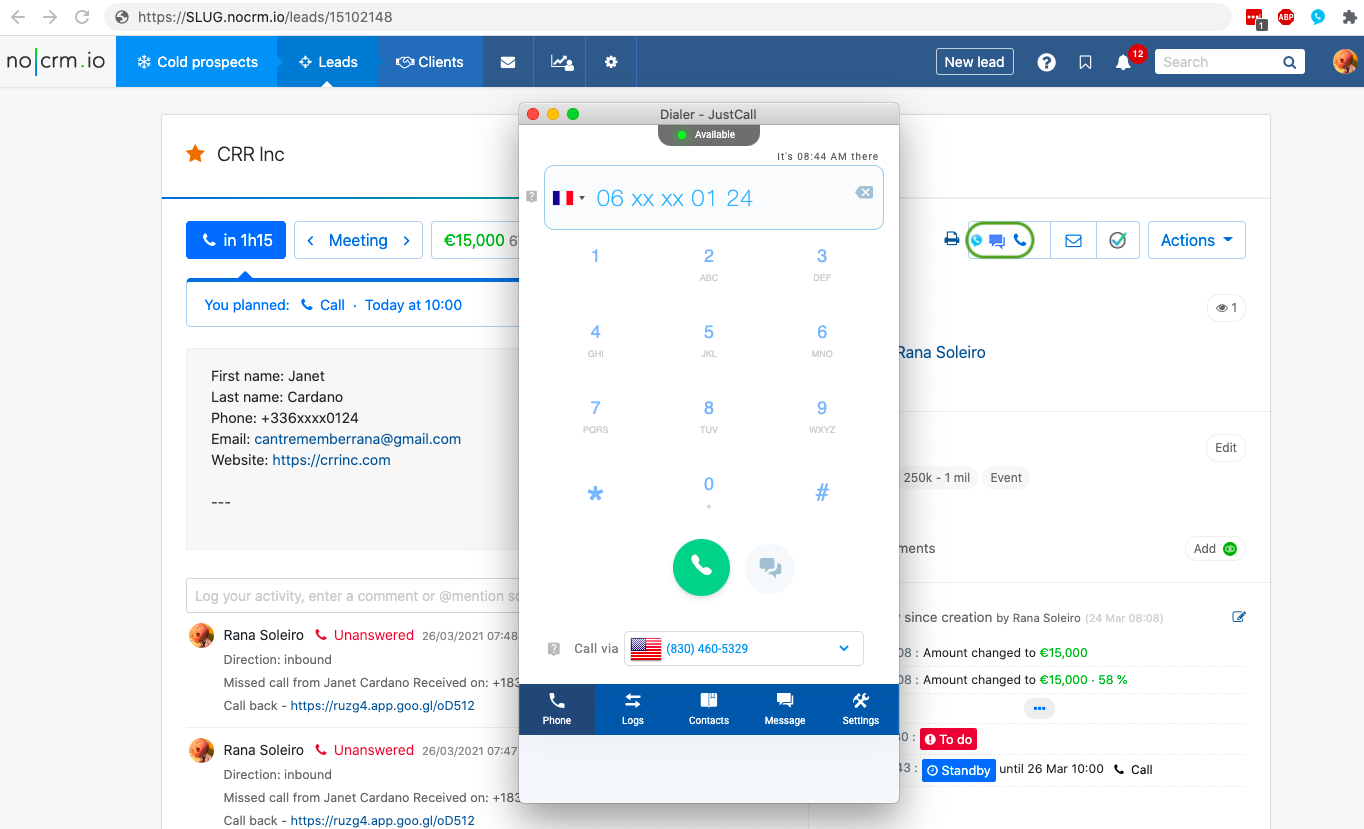
You're now ready to make your first call and text! Click on the phone/text icon to contact your leads directly with the dialer extension
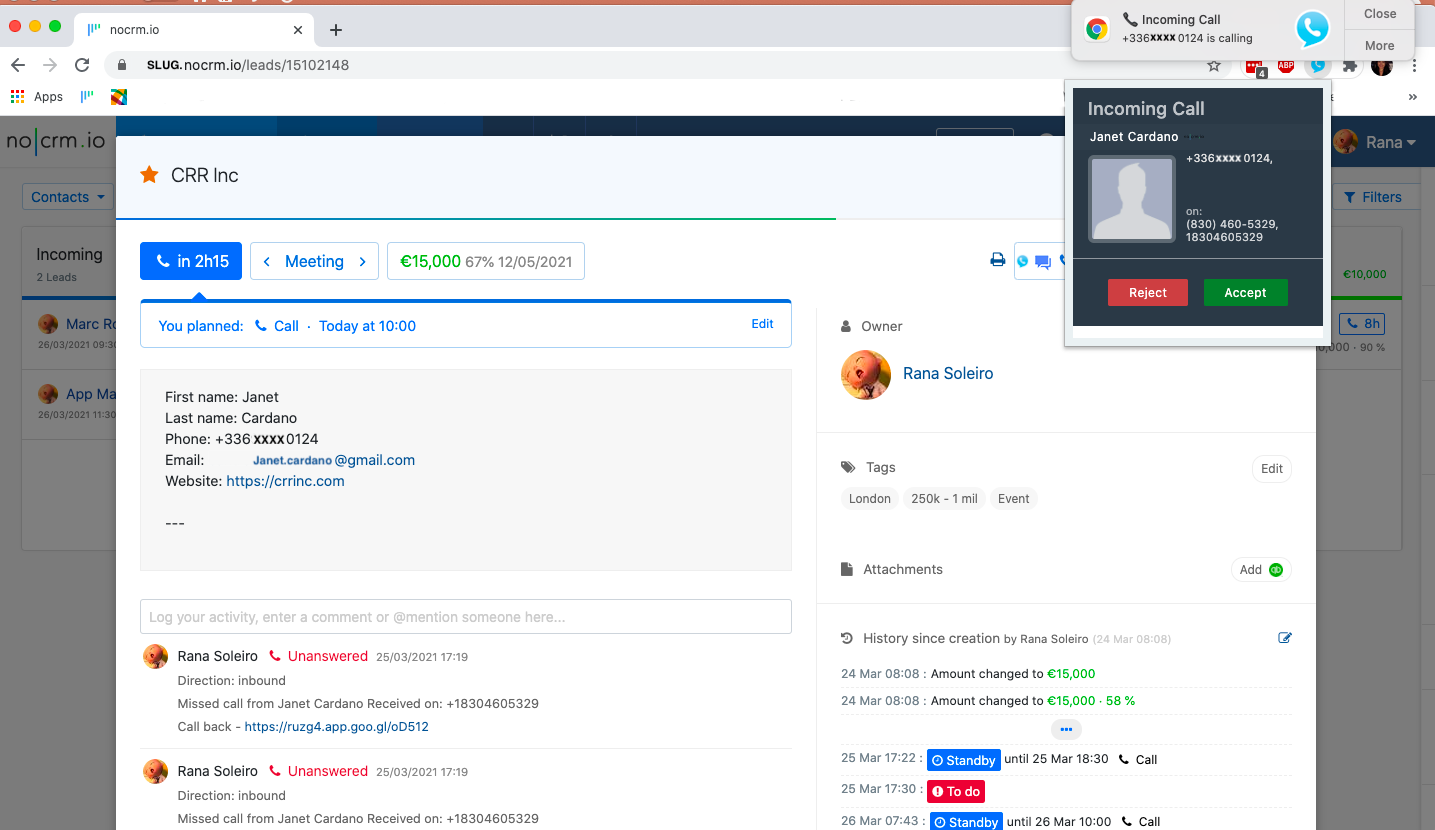
If there is a match(es) in your leads for the phone number of the incoming call, JustCall will attach the call details to the lead.
If you download the JustCall softphone/dialer, you will be able to see and click on the contact badge visible on the dialer when receiving an incoming call to open up the lead card in noCRM
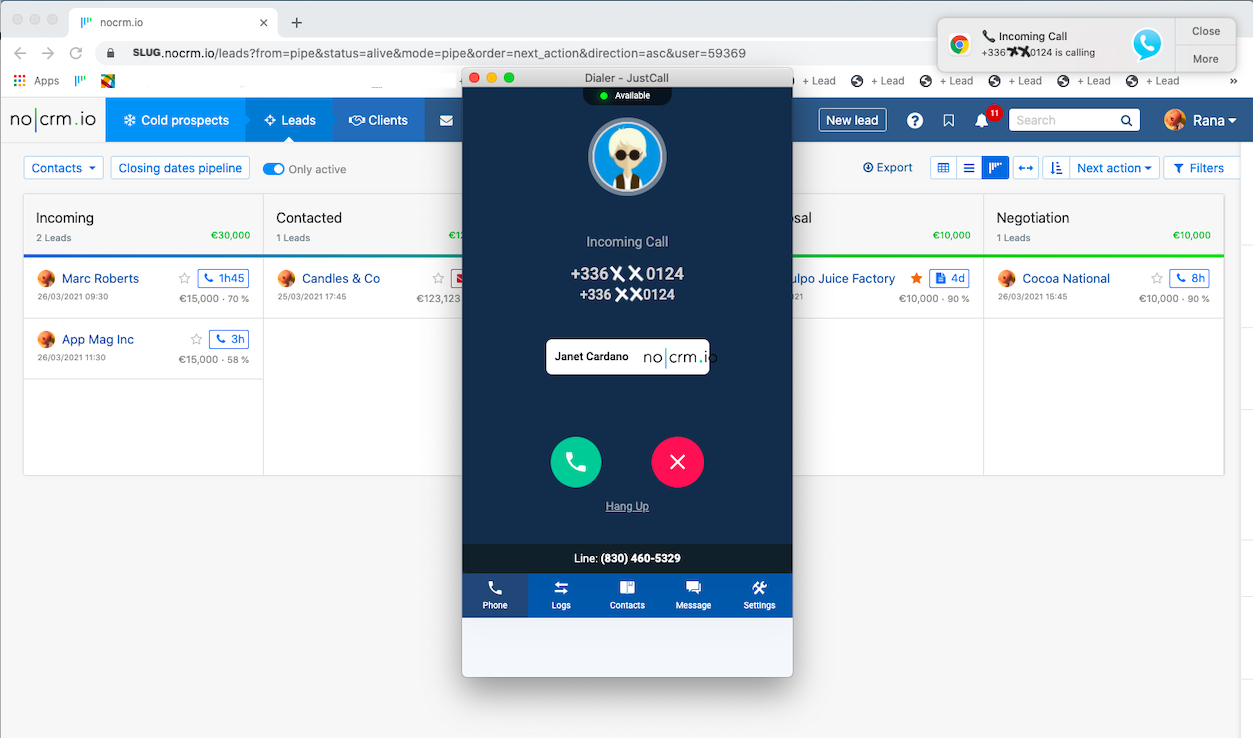
If there are no matches in your leads for the phone number of the incoming call, JustCall will not create a new lead in your pipeline. If you wish to automatically have a new lead created for every unknown call received, please contact JustCall's support team directly through the in-app chat or email at [email protected]
Now calls done from the Power Dialer are logged inside your leads and prospects! No manual action required, calls will be logged as usual
Watch how to connect noCRM to JustCall and start calling leads
