When you set up your sales process, plan how you will manage upsells, cross-sells and renewals with your existing clients.
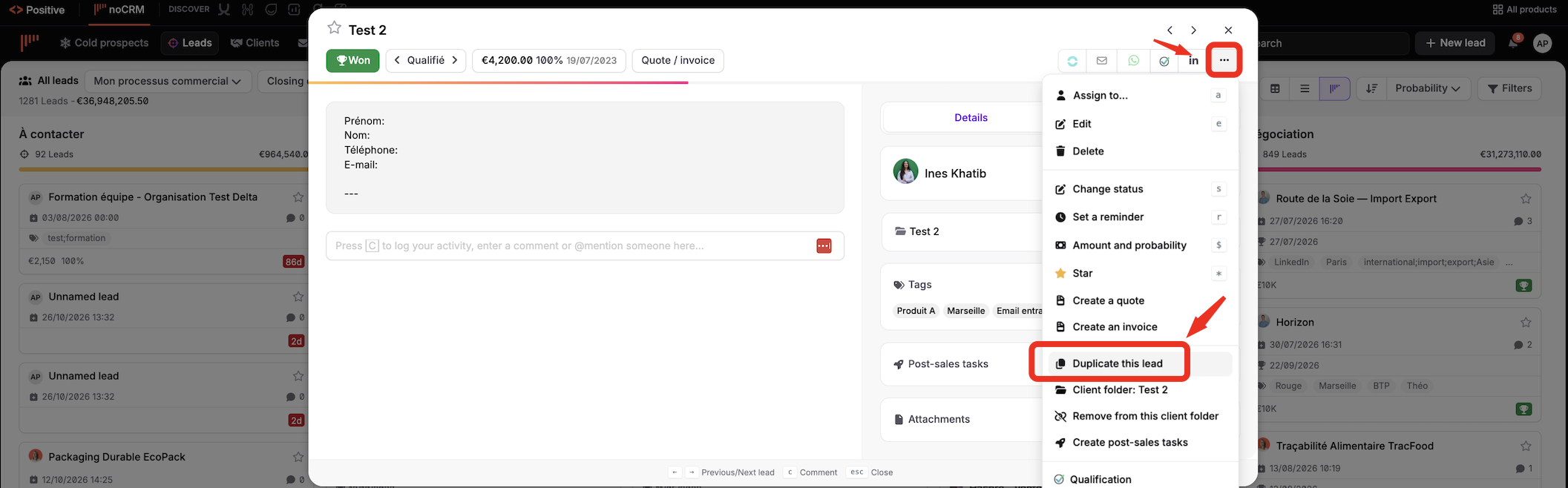
If you have a new opportunity with the same client, you don't need to create the lead all over again: simply duplicate the existing one.
Follow these steps:
Open the lead you want to duplicate.
Click the Actions button.
Select Duplicate Lead.
Click Create Client Folder: noCRM asks you to create a client folder before creating the new lead associated with the same client.

A client folder gathers all the leads associated with the same client. It's ideal for companies that make more than one sale with the same client, and very useful to understand your relationship with each client at a glance.


