Are you looking for potential clients online? Use the Lead Clipper to create leads in just a few clicks and add them to your sales pipeline.
The Lead Clipper is a bookmarklet: once you add it to your browser's bookmarks, you can use it on LinkedIn or on any other web page.
Follow these steps:
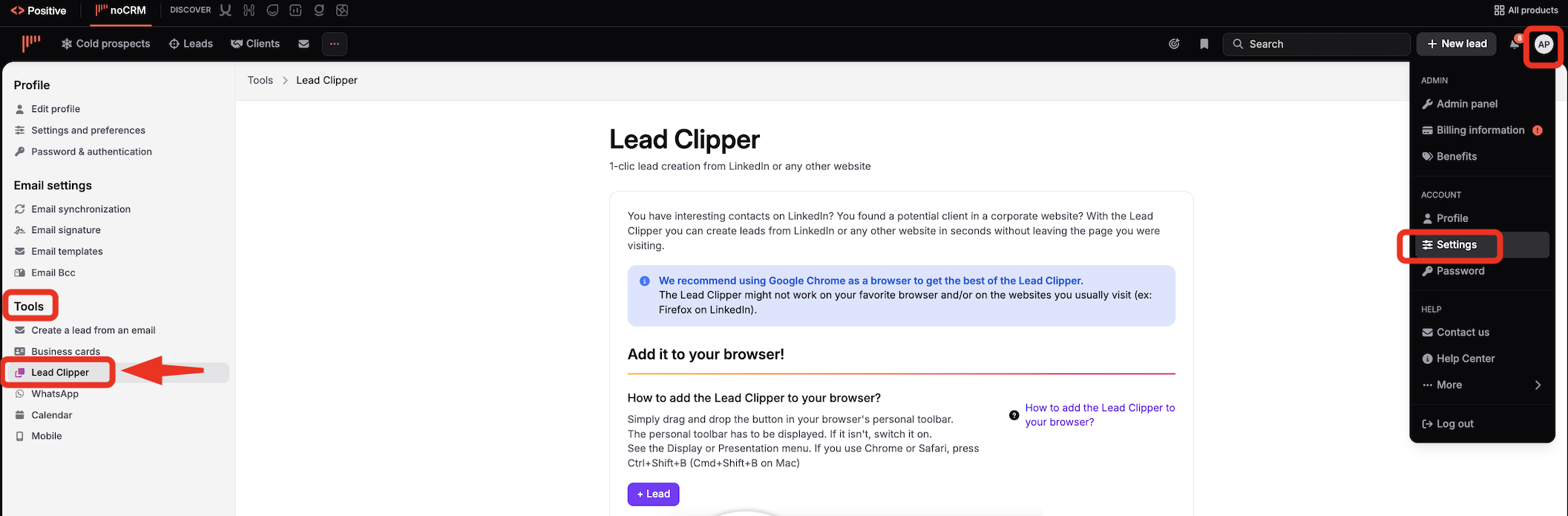
Click your avatar at the top right.
Open your profile.
Go to Tools > Lead Clipper.
Right-click the Lead Clipper button and select Copy link address.
Click the star in your browser's address bar, or go to Bookmarks > Add this page to bookmarks.
In the pop-up window, click More or Other options.
In the name field, enter something like Create a lead. In the address field, paste the link copied in step 4.
Save the bookmark.

Watch this video to see how to use the Lead Clipper on LinkedIn:


